
Anthropic looked at 1.2 million work sessions. Over 90% of them had nothing to do with programming.
Anthropic looked at 1.2 million work sessions. Over 90% of them had nothing to do with programming.
When the word Claude comes up in a company, most people picture programmers. That's why owners and HR skip over it. It's not for us, it's for the IT crowd.
In July Anthropic published what it sees in its own data. It went through 1.2 million anonymised sessions across more than 600 000 organisations. Over ninety percent of them had nothing to do with software development.
Reports, contracts, call notes, spreadsheets, recruitment. Work that people who have never written a line of code do at your place.
I'm writing this mainly for HR and for owners of smaller companies, because that's where the idea holds strongest and costs the most money. And because in the last eight weeks a few things happened after which it can be set up in an afternoon.
What has changed since the start of July
7 July. Claude Cowork stopped being just an app on your computer. It runs on the web and on mobile, and a task you give it finishes even if you close your laptop.
21 July. A feature arrived where you record your screen once while you do something, and Claude builds from it a procedure that can be run again. No describing steps, no code. For non-technical teams this is by far the most useful thing on the whole list.
28 July. The connector catalogue passed 950 items. A connector is a switch-on integration with a service you already use: mail, calendar, drive, a recruitment system.
12 August. Cowork can work directly in the browser. Click, type and fill in forms in your systems under your login. It's meant for internal tools that have no integration. But there's a catch and I'll get to it below.
Not one of those things needs a programmer. All of them need someone to sit down and set it up.

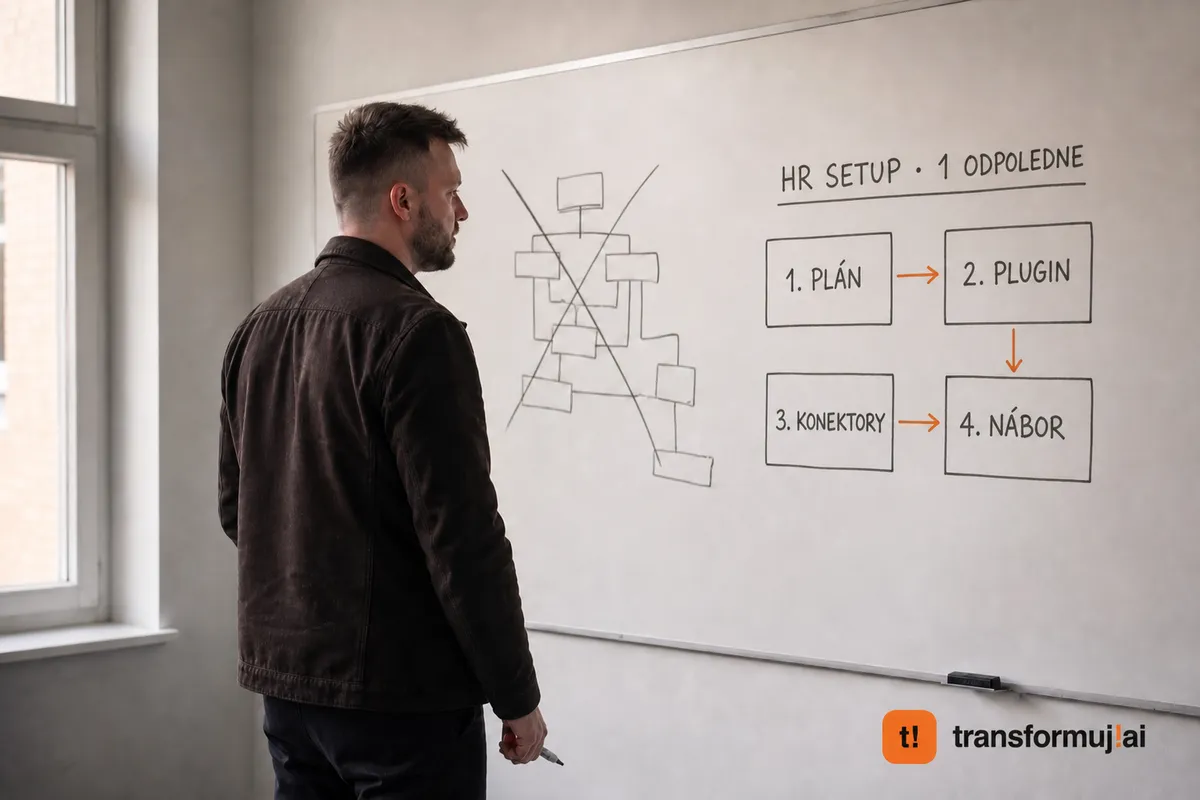
An HR setup for one afternoon
Concretely, so you can work it out.
1. Plan. Cowork is part of the Pro plan at 20 dollars a month. If more people are going to use it and you want shared connectors and admin control, Team Standard comes to 20 dollars per seat a month on annual billing.
2. Plugin. In Cowork you switch on the HR plugin. It can do drafts of review interviews from goals and feedback, onboarding plans for 30, 60 and 90 days, explanations of internal policies for different types of contract, and a comparison of pay against market data.
3. Connectors. Google Workspace or Microsoft 365. With that Claude sees exactly what you have access to. Nothing more, permissions are mirrored from your account.
4. Recruitment. Workable has a connector across the whole recruitment cycle, forty-plus tools, read and write. BrightHire pulls notes and evaluations from interviews, including data from the ATS. Indeed can handle job ads.
An afternoon. No budget, no tender for a supplier.

What it won't do
This is the part you won't find in offers, and yet it decides.
- The Gmail connector won't send an email for you. It can search, read and write a draft. You have to send it manually. It doesn't see the contents of attachments, only details about them.
- Microsoft 365 can send , but an admin has to enable it and write operations don't support attachments.
- You can't connect personal accounts like outlook.com. Only business ones.
- Claude won't send a message in Teams.
- Slack is separate. It's a standalone product, only for the Team and Enterprise plans, and billed by usage, not per seat.
- Connectors work only in private projects, and you can't share a conversation with connected content any further.
- There is no ready-made product for CV screening. The closest is a connector to a recruitment system and a kit for recruitment materials. And automatic evaluation of candidates has a regulatory dimension in Europe that you need to check before you switch it on. This isn't a detail, this is the thing you can get into trouble over.
Before you let it into the browser
The freshest feature, working directly in the browser, runs under your login. It sees what you see, and it can click too.
In May a flaw was found in the Claude extension for Chrome, where another extension could make Claude read your mail, documents or calendar without you doing anything. Reported on 21 May. The security firm that found it reproduced it in a version eight releases later. Severity 7.7 out of ten in the normal mode and 9.6 out of ten for people who had switched on the mode without action confirmations.
The risk of forged instructions from a page is admitted by Anthropic itself, and it introduced confirmation for actions that have consequences.
The practical conclusion: keep the mode without confirmations switched off, go through which extensions you have in the browser, and use a separate profile for this work. Not trying it because of this makes no sense. Reading what you switch on, yes.
How we work with it
The tool is the last step, not the first. First we add up how many hours a week at your place go on routine and at what rate. Only then do we choose what to solve it with.
Then the order applies: use up what you can get out of the box, and build only what is left. A large part of what is sold today as an agent project is a feature of a tool for a monthly subscription.
Actions that touch people or money are confirmed by a person. Always. A system that rejects candidates on its own you won't buy from us. When I was building Signál, our sales radar, I forbade myself my own features precisely because of this, and it wasn't technology that stopped me.
And we measure before the start and after a month. We don't overpromise. If the numbers don't make sense, we'll say so first.
Where to start
The cheapest way to find out whether this makes sense for you is a 15-minute intro call. We go through where your hours disappear, and I'll tell you straight whether you can manage with what you can switch on yourselves, or whether AI Setup Day is worth it for you, which is one day at your company from 999.60 EUR: cal.com/transformuj.ai/30min
How many hours a week at your place go on work nobody ever sees?
The article was first published on LinkedIn. Original article on LinkedIn